By Thiago Iotti, Principal Game Developer at Kokku
The title may sound like something that comes straight out of some cheesy commercial, but bear with me, this is going to be useful.
First and foremost, although I will talk about scripting in game development, most of it will be related to Unreal Engine and Lua, but I do believe some of these concepts could apply to any other engines or even custom ones. For that reason, I will discuss other languages and mention other engines. The importance of understanding the reasoning behind adopting scripting in your game, as well as the trade-offs involved, is essential before making that decision.
What did I mean by “scripts”?
In simple terms, I am referring to code written in an easier language to implement logic that would be interpreted at runtime by your game without the need to compile it. Using a simpler language reduces the amount of technical knowledge required and enables a more direct focus on gameplay itself. For instance, Godot have their GDScript, which is easier and more abstract than C#, UEFN released Verse, which is easier than C++ and faster than Blueprints. We also have other scripting languages that could be used on many other engines, like Lua, Python, JavaScript, Ruby and many others. For now, I’ll discuss some trade-offs in each of these three languages (Python, Javascript and Lua).
The price to pay!
Before even discussing the trade-offs, many might ask, “Why should I put in effort to support scripting and lose performance just to read some execution that could be way faster if it were compiled directly?”
Well, you already have the answer for part of it, but let me list here some other points for you.
Pros of having scripts:
- You don’t have to recompile the game if you modify the script, and you could even see the changes without reloading the game, depending on how you implement it.
- C++ is not beautiful or easy; you can have easier languages with fewer technical requirements to learn and a not-so-steep learning curve.
- You empower less technical teams to modify the game during development.
- You can make changes to the game without having the whole environment installed. (in some cases)
- You may allow modders to work on your game, extending the lifespan of the game. Just look at Skyrim or Roblox, for instance!
- In Unreal Engine, for instance, Git does not work very well with Blueprints, but it works just fine with scripts.
Cons of having scripts:
- You need to make it work on the code.
- Loss in performance on script executions in comparison with compiled executions.
- Harder to debug.
- You may expose logic and other things that you don’t want players to have.
- If you want others to work on scripts, it would be wise to work on good documentation.
The language you pick.
As you can see, no matter what language you pick, there will be issues and advantages you’ll have to deal with. But when choosing which one to use, you have to take their specific pros and cons into account too!
Python pros:
- Python has extensive data structures and algorithms, along with many libs and tools.
- Python is very commonly used in other applications, with an abundance of documentation and learning materials
- Many IDEs and even Unreal Editor itself have plugins for easily integrating it into your game.
Python cons:
- Python is notorious for its heavy memory usage, usually loading many resources that you won’t need.
- The communications between Python and C/C++ are way slower than expected.
- You may need to be very careful with your Python environment.
JavaScript pros:
- JavaScript is a really simple language with a smooth learning curve.
- Although not specifically made for game development, there is also lots of documentation and learning material
- Just as Python, IDEs and editors themselves have plugins for easy integration.
- Also, just like Python, it has a large community with a huge number of libraries to solve many types of problems.
JavaScript cons:
- For JavaScript run on your game, you will probably rely on some just-in-time interpreters, like Chromium. These are heavy black boxes that you don’t have the exact idea of what is happening inside, and also may expose you to their flaws.
- ES6 has many features that might not play very well in your script environment. (e.g. Promises)
- Type evaluation is problematic, which can lead to some other logic flaws. (like 1+”1”=”11”)
- JavaScript may not be the best option for heavy processing or tasks that require a lot of memory.
Lua pros:
- Lua is very lightweight.
- Lua integrates very well with C/C++.
- Lua is way easier than C and C++
- Lua is made specifically for scripting and is largely used on games (like Roblox and Ragnarok), and even Redis (a very fast memory database) makes use of it as the scripting tool.
Lua cons:
- Lua is not as well-known as other languages, meaning there will be fewer libraries and less learning material available.
- Lua may be tricky to debug.
Once again, here we have the pros and cons of the selected scripting language, but as I stated at the beginning of this article, we will be focusing on using Lua scripts on Unreal Engine 5.
Making Lua and Unreal Engine play together!
Now, the main event! And I don’t want to delay it any further, so I’ll go straight for three ways to integrate Lua scripts on your Unreal engine: UE4SS, LuaMachine and Native Integration.
UE4SS:
Don’t let the name fool you! This plugin here works on both UE4 and UE5 (as at the day this article was written, it is already working on 5.7) and it is actively maintained and used by the community. Have extensive and well-written documentation, and it is commonly used to hook up with games that are already shipped! The source code is also available, so you can even integrate it into your custom UE compilation.
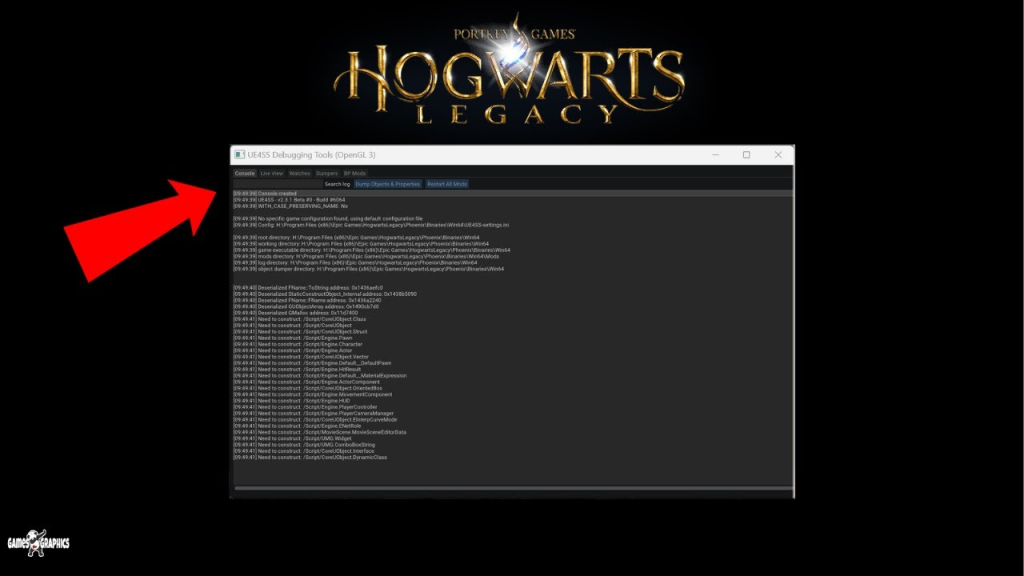
UE4SS running on Hogwarts Legacy
Documentation: https://docs.ue4ss.com/index.html
Repository: https://github.com/UE4SS-RE/RE-UE4SS
LuaMachine:
Wouldn’t it be beautiful if you had a way to look at the Lua script inside the editor and have all the needed nodes for Lua communications already available on blueprint levels, and with just a few clicks away to compile script files as a game byte code instead of letting it open for everyone to see it? Well, LuaMachine has it all! A plugin that you integrate into your project. With a simple copy and paste directly into your plugins folder and you are done! The blueprint nodes, the Lua types, components to be integrated with actors and even the option to cook it as a byte code, so you can let others change many behaviours, with a controlled API without the need to recompile the whole project.
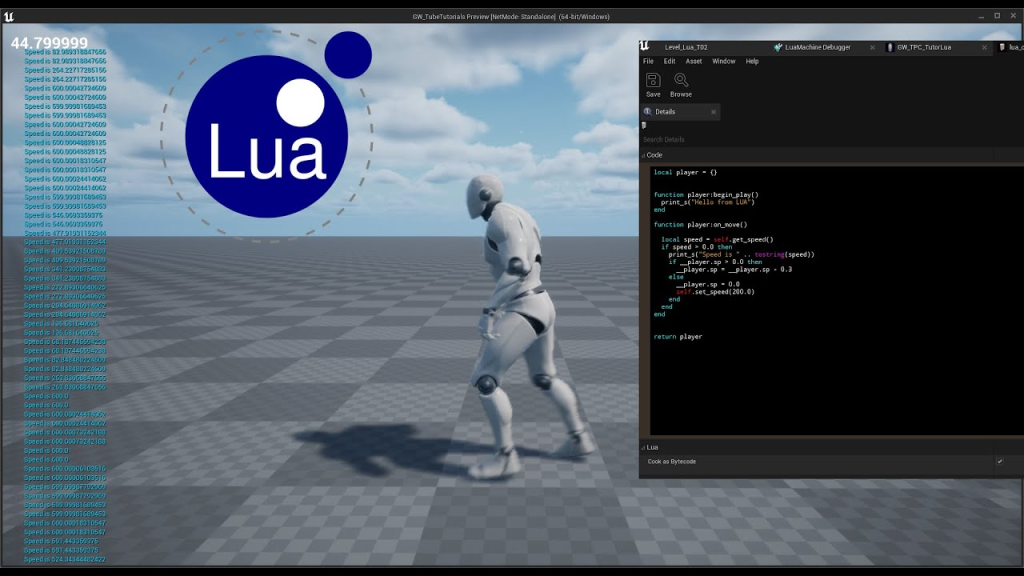
Lua script being written inside Unreal Editor using LuaMachine
Documentation: https://github.com/rdeioris/LuaMachine/tree/master/Docs
Repository: https://github.com/rdeioris/LuaMachine
Native Integration:
Hey, we are working on Unreal Engine, so that means it is a C++ code that allows us to integrate Lua natively and directly into our own code, without the need for any third-party plugin. Just open the docs and do the magic of integrating it into your game, taking just what you want and nothing else!
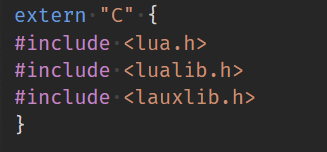
Simple inclusion of Lua headers in your cpp code
Documentation: https://www.lua.org/manual/5.5/
Conclusion
As you could read in this article, putting the scripts to work inside your game is not a big deal itself, but the results at medium and long term need to be measured to see whether the effort to maintain and the performance sacrifices that it might bring will pay off. If you work on a team with many different technical knowledge levels, this would be a big plus, or even if the whole team has a high knowledge level, consider that having a scripting language will drastically reduce the team’s idle time in waiting for the code to compile and also, in the case of Unreal Engine, consider doing a merge with Lua scripts on git is way easier than a merge with Blueprints. On top of that, having the possibility to allow modders to make additions to your already shipped game would help to have more chances of your game maintaining or even increasing playerbase (and sales numbers), leveraging on the community’s love for your game!